






Best Product List

Home Organization / Digital calendars

The Best Digital Family Calendars of 2026: 10 Picks Compared Side by Side

We compared popular touchscreen family calendars sold on Amazon in the US: the specs on each listing, the makers' manuals and help pages, their companion apps and independent hands-on tests where they exist. These 10 picks earned a place, ranked from the one we would buy first. Several makers appear more than once in different sizes, so you can pick the screen that fits your wall or counter.

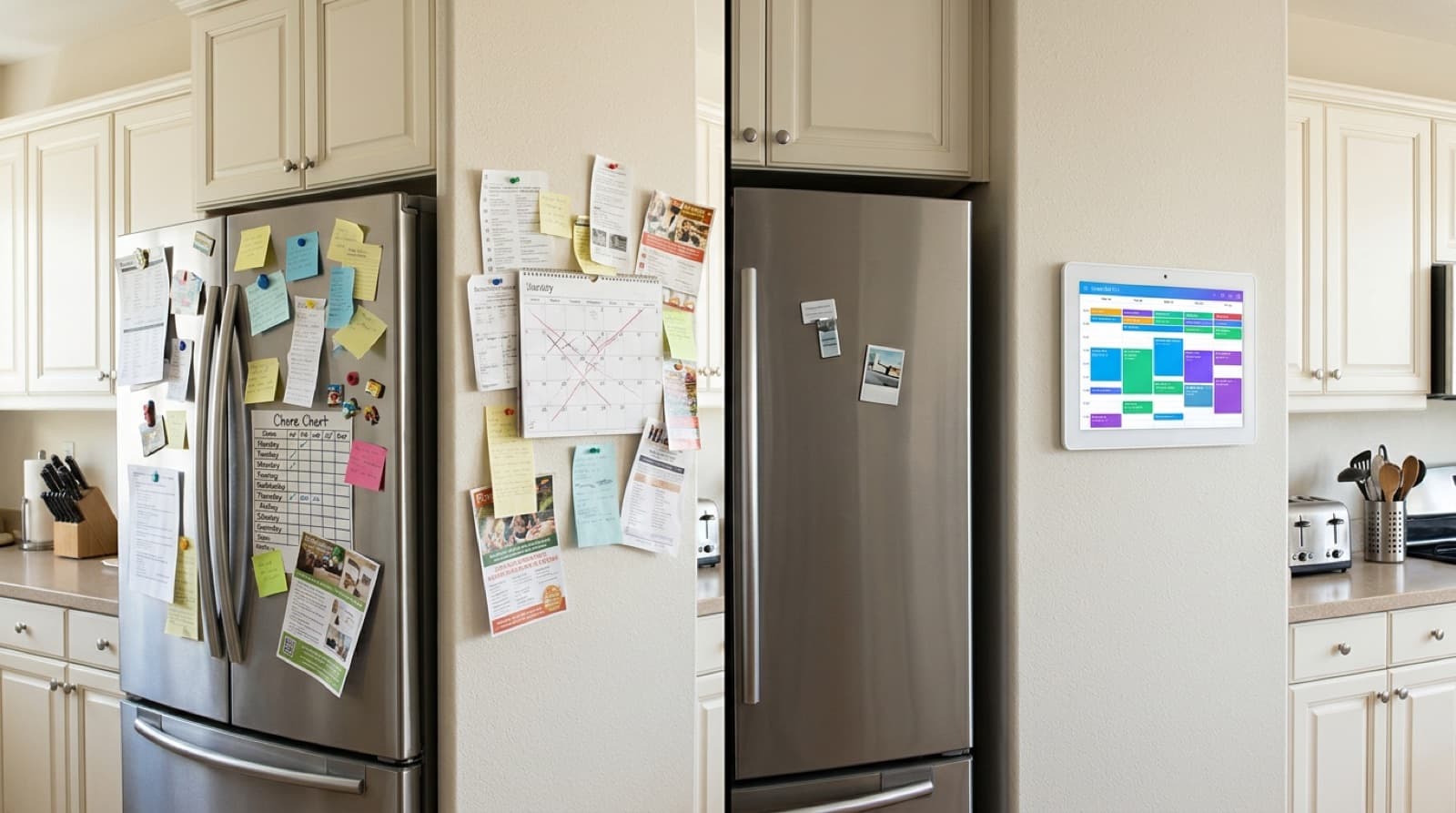
The same kitchen wall: on the left a fridge covered in paper notes, flyers and a crossed-out paper calendar, on the right a tidy fridge and a touchscreen family calendar on the wallBEFOREAFTER

But a paper calendar on the fridge only works if everyone remembers to write on it.

  • Five calendars that never match:A family calendar pulls the schedules already on your phones onto one screen in the kitchen, with a color for each person.
  • Chore charts that fall off the fridge:Every calendar on this list has a chore chart kids tick off on the screen, and all of them add stars or points toward rewards.
  • The nightly dinner question:Each one has a meal planner that puts the week's dinners on the wall, next to shared to-do lists.
  • Photos stuck on your phone:When nobody is using it, the screen turns into a photo frame for pictures the family sends from the app.

One Screen for the Whole Family: How a Digital Calendar Works

You plug the calendar in, join it to your Wi-Fi and link it to the maker's phone app. In the app, each family member connects the calendar they already use, and their events show on the screen in their own color. How well that works depends on the service. Google Calendar can sync both ways on every calendar here, so an event added on the screen also lands on the phone. Most of them read iCloud, Cozi and Yahoo through a shared link instead, which is one-way: events flow onto the screen, but what you add on the screen stays there. Chores, meal plans and lists live in the maker's app and cloud, not in your phone's calendar. Every calendar here runs from a wall adapter, so plan a spot near an outlet.

Key Benefits of a Digital Family Calendar

What our #1 puts on one screen
Calendar
Chores
Rewards
Meal plans
To-do lists
Photos
One schedule everyone can see

Practices, appointments and birthdays from every family member's phone show on one screen in the kitchen, each person in their own color.

Kids own their chores

Children tick off their own jobs on the screen and earn stars or points toward rewards you set, instead of being reminded at every turn.

Dinner planned before 5 pm

A weekly meal plan on the wall settles the dinner question in advance, and the shared lists in the app follow you to the store on your phone.

Fewer missed appointments

Reminders and a week view at eye level catch the dentist visit or early pickup that a phone notification lets slip.

Family photos on display

When it sits idle, the screen shows photos and short videos the family sends from the app, so pictures do not stay buried on one phone.

No monthly fee for the basics

On every calendar here, the calendar, chores, meal planner and photo frame work without a paid plan. Several sell optional extras, which each review names.

10 Best Digital Family Calendars of 2026

By Gabby Smith

Last Updated: Nov 4, 2026

Advertising Disclosure
  1. 9.8Ranking details
    18% off
    1Best Budget Pick

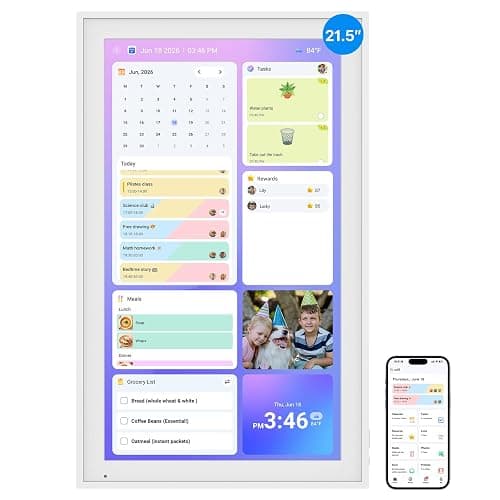
    Linkdaze 10.1-Inch Digital Calendar and Photo Frame (32GB, White)

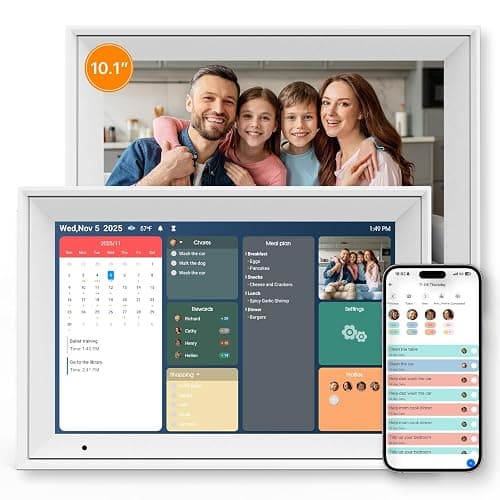
    • Calendar, chore chart with points and rewards, meal planner and to-do lists
    • Turns into a photo frame when idle, with 32GB for photos sent from the AiMOR app
    • Google syncs both ways; iCloud, Cozi and Yahoo come in by link

    1K+ bought in past month

    available atAmazon
  2. 9.6Ranking details
    2Best Mid-Size Hub

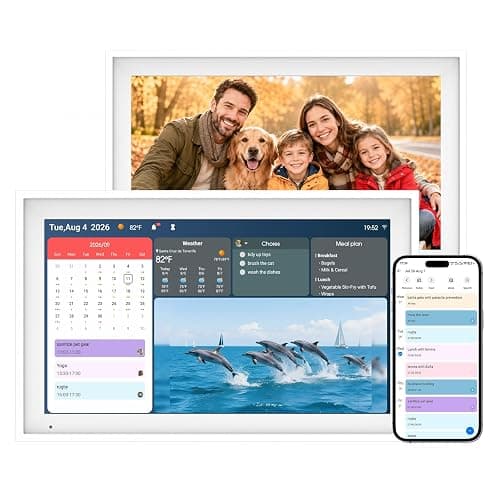
    Cotoala 15.6-Inch Smart Digital Calendar and Family Hub Planner (Black)

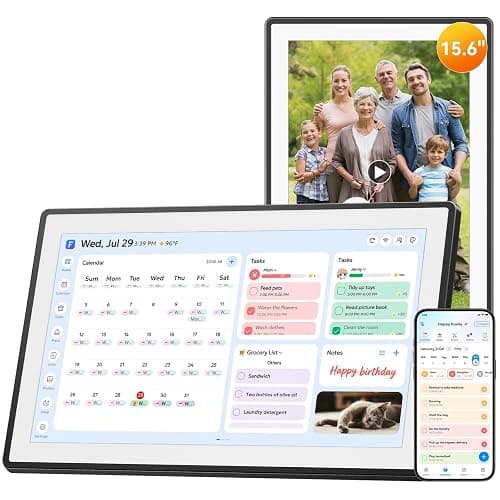
    • 15.6-inch 1080p screen with 32GB storage, plus SD card and USB photo import
    • Chore chart with Star Points rewards, meal and habit plans
    • Tool-free stand, works in portrait or landscape
  3. 9.5Ranking details
    3Best Big Wall Screen

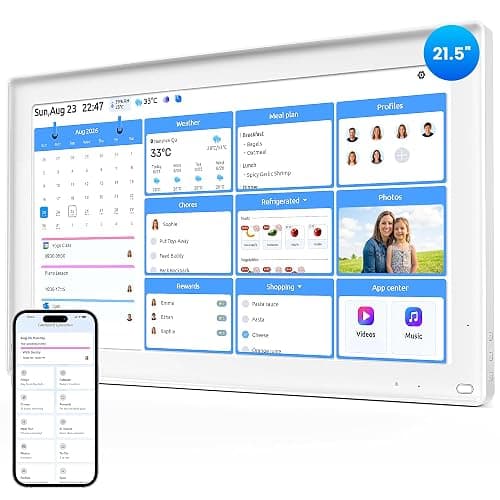
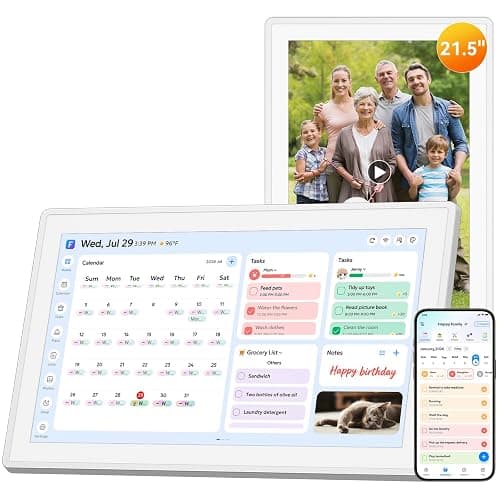
    BSIMB 21.5-Inch Digital Family Calendar and Chore Chart

    • 21.5-inch 1920 x 1080 touchscreen that rotates to portrait or landscape
    • Two-way Google and Outlook sync, per the manual
    • Whiteboard, chores, rewards, meals and photo frame; wall and desk mounts in the box
  4. 9.3Ranking details
    25% off
    4Best 15.6-Inch Value

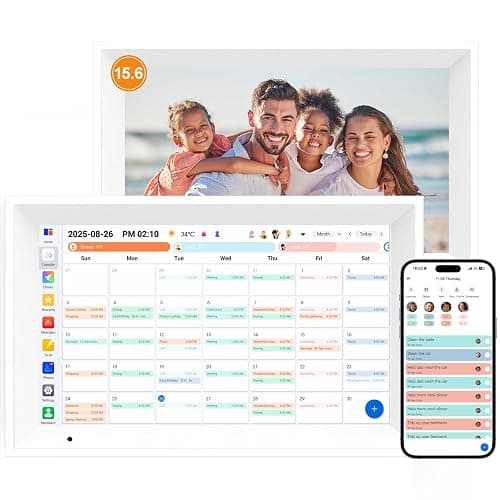
    Linkdaze 15.6-Inch Digital Calendar and Photo Frame (64GB, Pure White)

    • 15.6-inch 1920 x 1080 touchscreen with 64GB storage
    • Any number of family phones can join with a share code
    • Desk stand and wall bracket with anchors in the box

    50+ bought in past month

    available atAmazon
  5. 9.1Ranking details
    14% off
    5Best Android Calendar

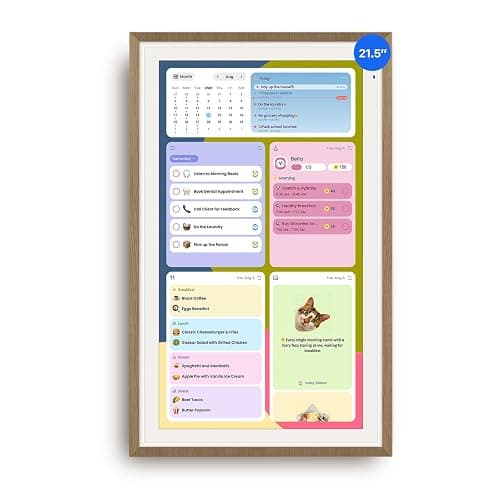
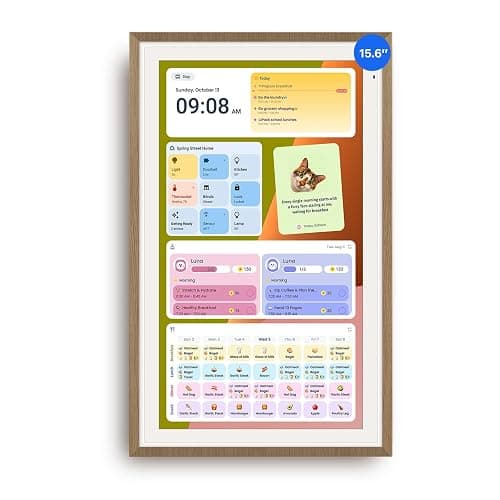
    Apolosign 21.5-Inch Dual-Mode Digital Calendar (Teak)

    • Calendar mode, or full Android 15 with the Google Play Store
    • Google and iCloud can sync both ways; light sensor dims the screen
    • Wall kit and desk stand in the box; no paid plan today

    600+ bought in past month

    available atAmazon
  6. 8.9Ranking details
    13% off
    6Best for Food Tracking

    Everblog HomeCal 21.5-Inch Digital Family Calendar with Food Tracking

    • Food list with storage spot, expiry dates and reminders, filled from receipts or phone photos
    • Calendar, chores with star rewards, meal plans and AI recipes
    • Streaming apps through four built-in speakers

    1K+ bought in past month

    available atAmazon
  7. 8.7Ranking details
    7Big Screen for Less

    Cotoala 21.5-Inch Smart Digital Calendar and Family Hub Planner (White)

    • 21.5-inch 1080p touchscreen for wall or desk, rotates automatically
    • Calendar, chores, rewards, lists and meal planning work without a plan
    • 32GB storage; photos by app, USB or SD card
  8. 8.5Ranking details
    25% off
    8Same Calendar as #4

    Linkdaze 15.6-Inch Smart Calendar and Chore Chart (64GB)

    • Same seller, specs and price as the #4 Linkdaze 15.6-inch
    • 15.6-inch 1080p touchscreen, 64GB, wall bracket and desk stand
    • Chore chart with star rewards, meal planner and shared lists

    400+ bought in past month

    available atAmazon
  9. 8.4Ranking details
    12% off
    9Best Compact Android

    Apolosign 15.6-Inch Dual-Mode Digital Calendar with Stand (Teak)

    • Calendar mode, or Android with the Google Play Store
    • Desk stand and wall mount both in the box
    • No paid plan for calendar, chores, meals or photos

    400+ bought in past month

    available atAmazon
  10. 8.2Ranking details
    10Best for Outlook

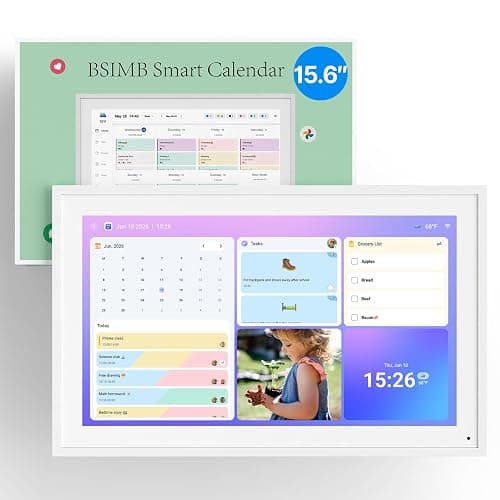
    BSIMB 15.6-Inch Digital Family Calendar and Chore Chart

    • 15.6-inch 1920 x 1080 touchscreen, desk stand or wall mount
    • Two-way Google and Outlook sync; scheduled sleep mode
    • Chore chart, rewards, meal plan, lists and photo screensaver

    50+ bought in past month

    available atAmazon

Tired of Hunting for Deals?

Get the best price drops on the products we rank, straight to your inbox.

Deals only, no spam. Unsubscribe anytime.

You Might Also Like

Digital Calendar Overview

Digital family calendars all promise the same thing: one screen that keeps the household on schedule. The useful questions are not about screen size alone, but which of your calendars it can sync both ways, what the free app really includes, and whether the maker will still be supporting it in two years.

Most calendars on this list are made in China and sold under several brand names, with the software from a separate app company. That is not a problem in itself, but it means the brand on the box is often not the company that holds your family's calendar data and photos. Each review names who runs the app and what its privacy policy covers.

Check the sync before the screen. Google Calendar can sync both ways on every pick here. Outlook and iCloud vary: some calendars sign in to them and sync both ways, others only read them from a shared link, so what you add on the wall never reaches your phone. If your family lives in iCloud or Outlook, read the sync line of each pick before you buy.

"No subscription" on a listing usually means the core features are free. Several of these makers sell optional plans for AI entry, extra photo uploads, cloud backup or more linked calendars, from about $20 to $60 a year. None is needed for the calendar, chores, meal planner or photo frame.

Many star ratings on Amazon here are shared across sizes and colors, and a few carry over from older photo frame listings. We note where that happens, and we found no major editorial test for most of these models, so we weigh the makers' manuals, help pages and the hands-on tests that do exist.

Integrity

Beyond the ranking, we score each product on eight checks that separate documented facts from marketing. Each check is scored 0 to 10 from the makers' manuals and policies, the Amazon listing and independent tests; the Integrity Score is their average, scaled to 100. It shows what is documented, not a certification.

Evidence

  • Independent test results

    Whether an independent outlet or reviewer has tested this exact model hands-on, and what they found. Sync speed and reliability claims come from the maker, so models with published hands-on results score higher.

  • Claims that hold up

    Whether the headline claims (screen, which calendars sync both ways, "no subscription", storage) match across Amazon, the maker, the manual and independent tests. Claims that conflict, or that only the maker has made, score lower.

Home & Safety

  • Electrical safety listing

    Whether a UL, ETL or CSA safety listing for the calendar or its power adapter could be found. These screens stay plugged in all day, and a logo on a box is not a listing, so models score low when no listing could be confirmed.

  • Safe mounting and placement

    Whether the box includes wall hardware and a stand, whether the manual explains how to mount it safely, and how it handles cords and children nearby.

  • Screen comfort at home

    Auto-dimming, a sleep schedule or night mode, and what owners report about glare and brightness in a kitchen or hallway.

  • App, account and family data

    Who runs the app and cloud, what the privacy policy says about calendar data, photos and children, and whether the device has a microphone or camera.

Ecology

  • Subscriptions and running costs

    Which features are free for life and which sit behind a paid plan, and what the maker commits to if its app or cloud service changes. A calendar whose app goes away has a short life.

  • Warranty and support

    The US warranty, whether support answers by phone, email or chat, whether spare parts such as adapters and mounts are sold, and the record of software updates.

Full reviews

Linkdaze 10.1-Inch Digital Calendar and Photo Frame (32GB, White)
#1 - Best Budget Pick

Linkdaze 10.1-Inch Digital Calendar and Photo Frame (32GB, White)

Our Score 98/100Integrity Score 38/100Linkdaze

Overview

The Linkdaze 10.1-inch is a small Wi-Fi touchscreen calendar that doubles as a photo frame: it shows a color-coded family calendar, chore chart with points and rewards, meal plan and to-do lists, and switches to a slideshow of photos sent from the AiMOR phone app when idle. The Amazon listing says Google and Outlook sync two ways, while iCloud, Cozi and Yahoo come in by URL link, and it stores photos on 32GB of built-in memory. The device and app come from the same Shenzhen maker behind AiMOR photo frames (Shenzhen Efercro Electronic Technology, per FCC records), and Linkdaze is the US brand on top. Independent evidence is thin: we found one first-person review on an affiliate site (NerdTechy) that does not name the size it used, a July hands-on review (summarized by RuntimeWire, which does not name the reviewer), and press coverage (TechCrunch) that describes but does not test the product. The 4.4-star, roughly 1,494-review Amazon rating needs care, because the review themes Amazon shows read mostly like photo frame reviews, so we treat it as weak evidence for the calendar itself. The main gaps are no electrical safety listing we could find, a thin app privacy policy, and recurring Amazon complaints that units stop working.

What works

  • Calendar sync covers the big services: the Amazon listing claims two-way sync with Google Calendar and Outlook, plus iCloud, Cozi and Yahoo by URL link, and NerdTechy's tester reports shared calendars synced in about 15 minutes with phone changes appearing quickly on the display.
  • The core family tools cost nothing extra: TechCrunch reports Linkdaze does not require a monthly subscription for its main features, and the chore chart, rewards, meal plan and to-do lists are all in the free AiMOR app per the listing and manual.
  • Photo sharing is simple for relatives: in the review themes Amazon summarizes, 48 of 60 shoppers who mention uploading call it easy, and the app lets any number of family phones connect with a share code (FCC-filed AiMOR Calendar manual).
  • Screen comfort is reasonable: the 1280 x 800 IPS panel has an ambient light sensor and a sleep and wake schedule according to the manuals.plus manual, and NerdTechy found the automatic brightness worked well through the day and softened at night.
  • It is cheap for what it does: about $66 on Amazon in November 2026, well under most 15-inch calendars and paid-plan rivals like Skylight (TechCrunch cites Skylight's $79 per year plan).
  • The maker is shipping software fixes: the listing names calendar firmware 4.0.0 and AiMOR app versions, and the App Store shows AiMOR updated within the past week (version 4.1.0).

What does not

  • Reliability is the top complaint: of 67 Amazon reviewers Amazon groups under reliability, 40 are negative, with reports of units that stop working or will not turn on after a couple of months.
  • The review count is not clean evidence for this calendar: Amazon's review highlights talk about a 'digital frame', SD cards and years of use, so the 1,494 ratings appear to be carried over largely from an earlier photo frame listing rather than pooled across calendar sizes (the listing offers no other size or color).
  • Sync claims do not fully agree: the Amazon listing says Outlook is two-way, but the manuals.plus manual lists only Google as two-way and puts Outlook with the URL-link services; the listing itself urges an immediate firmware update to 4.0.0 to fix sync problems, and a July hands-on review summarized by RuntimeWire found iCloud sync one-way.
  • iCloud, Cozi and Yahoo use public calendar links: the FCC-filed AiMOR Calendar manual tells iCloud users to turn on 'Public Calendar' and paste the share link, which means anyone with that link can read those events.
  • The photo side has a paid tier: the AiMOR app sells AiMOR Plus ($19.99 per half year or per year on the US App Store), and app reviewers say free accounts cannot batch-send photos and are capped at 15-second videos; we could not confirm exactly which limits apply to this calendar.
  • No wall mount is shown or described for the 10.1-inch: the listing photos show a rear desk stand only, and we found no mounting kit or instructions for this size.

Who is it for

A family that wants a cheap countertop screen for a shared Google or Outlook calendar, a kids' chore chart and a photo slideshow, and does not want a monthly fee. At about $66 on Amazon in November 2026, it is a low-cost way to try a digital family calendar.

Who is it not for

Skip it if you want a wall-mounted screen big enough to read across a room, need solid two-way iCloud sync, or want a product with a verified safety listing and a strong reliability record. Households uneasy about a thinly documented overseas app handling family schedules and photos should also look elsewhere.

Integrity

FCC records tie this product family to Shenzhen Efercro Electronic Technology Co., Ltd. (grantee code 2AW9M): grant 2AW9M-A1 ('Digital Calendar', issued 11/19/2025 by Eurofins as TCB, covering 2.4GHz and 5GHz Wi-Fi and Bluetooth) includes a model-difference letter listing models A1 and A5, and this Amazon listing gives part number A5. That letter calls all listed models identical in structure, yet the A1 manual describes a 15.6-inch, 1920 x 1080 unit, so we could not confirm from the label that the 10.1-inch unit ships under that ID. We found no UL, ETL or CSA listing for the calendar or its power adapter, and no CPSC recall for Linkdaze or AiMOR. The AiMOR app is published by HOTSALES GLOBAL TRADE LLC; its privacy policy (hosted on an efercro.com domain) gives no address, effective date, data locations, retention periods or deletion process, does not mention calendar data, and only 'encourages' guardian consent for minors. Apple's privacy label says the app collects name, email, user ID, coarse location, photos and videos, and crash data. The linkdaze.com privacy policy names Hong Kong WH Technology Co., Limited as operator but covers the web store, not the app. NerdTechy reports no camera or smart assistant. The FCC-filed AiMOR Calendar manual and the manuals.plus manual both state a one-year limited warranty; support contacts differ by source (CustomerCare0523@outlook.com and 1-888-968-0020 in the FCC manual, support@linkdaze.com and +1-888-271-9990 on linkdaze.com). We found no source for spare adapters or stands.

Cotoala 15.6-Inch Smart Digital Calendar and Family Hub Planner (Black)
#2 - Best Mid-Size Hub

Cotoala 15.6-Inch Smart Digital Calendar and Family Hub Planner (Black)

Our Score 96/100Integrity Score 36/100Cotoala

Overview

The Cotoala 15.6-inch Smart Digital Calendar (model DC156) is a 1920 x 1080 IPS touchscreen that runs a locked calendar, photo frame and art gallery system and is managed through the free FotoCube phone app. The box and manual are branded Cotoala; the manual says it is "Manufactured for Cotoala" and distributed by Shenzhen Tongmeidatuo E-Commerce Co., Ltd. (the likely source of the TONGMEIDT name), the Amazon seller is LEAD BRIDGE GLOBAL LIMITED of Hong Kong, and the FotoCube app is published by ZOLA HOME PTE. LTD. The printed manual says only Google Calendar syncs both ways and pulls iCloud, Outlook, Cozi, Yahoo and TeamSnap in by pasted calendar links; the FotoCube help center and the app's May and June 2026 release notes since added account sign-in with two-way sync for Outlook and iCloud, while Cozi, TeamSnap and others still come in by link. We found no editorial hands-on test of this model, only brand-gifted or affiliate YouTube videos, and the 62 Amazon ratings (4.6 stars) are shared across five size and color variants. We also found no UL or ETL listing, no FCC ID in the manual or listing, and a Cotoala privacy policy that still carries an unfinished drafting note.

What works

  • The core features cost nothing extra: the manual and the Cotoala Help Center both say the FotoCube app is free with no subscription, and it covers chores with Star Points rewards, meal plans, habit plans, to-do and grocery lists, and voice reminders recorded in the app.
  • Google Calendar gets real two-way sync: the manual calls it the recommended method, says you can choose one-way or two-way, and says it has no link limit.
  • The hardware matches the listing: the manual's spec table lists a 15.6-inch 1920 x 1080 IPS touchscreen, 32GB storage, 2.4GHz and 5GHz Wi-Fi, and SD card and USB-A slots for offline photos and video (up to 512GB).
  • The tool-free stand works in landscape or portrait and the screen rotates on its own, according to the manual. A brand-gifted YouTube reviewer (Snezhana Jane) said the stand went on without tools in under a minute.
  • There is a scheduled sleep mode: the manual describes setting a time for the screen to turn off at night and on again in the morning.
  • Amazon shows a 4.6-star average with 86% five-star ratings, and Amazon's review summary mentions easy setup, a responsive touchscreen and a clear display. Those 62 ratings are pooled across five variants, though, and we could not read the individual reviews.

What does not

  • Calendar sync claims don't line up across sources. The Amazon bullets say Google, iCloud, Outlook, Cozi, Yahoo and TeamSnap all sync "in real time", but the printed manual describes two-way sync for Google only, with the rest as link imports. The FotoCube help center and the app's May and June 2026 release notes since added account sign-in with two-way sync for Outlook and iCloud; Cozi, TeamSnap and others still come in by link, and the FotoCube site says link and iCloud changes can take up to 15 minutes.
  • There is no independent test: every video we found is brand-gifted or affiliate. One brand-gifted reviewer, testing the 10.1-inch sibling, said taps sometimes had to be repeated and that the rear power button means taking the unit off the wall to wake it.
  • "No subscription" needs a footnote: the FotoCube app on the App Store sells Zola AI plans at $3.99 or $7.99 a month ($39.99 or $59.99 a year). FotoCube's own Zola AI page caps free use at 5 linked ICS calendars and 5 AI photo creations a month, and keeps cloud photo backup for paid plans; the calendar, chores, meals and photo frame stay free.
  • Wall mounting is thinly supported: the listing says the thumb nuts let you "mount it instantly on wall or desk," but the manual uses the thumb nuts only for the tabletop stand. The box includes no wall screws or anchors, and the manual has no wall-mounting steps, only keyhole slots in its diagrams.
  • Brightness is set by a manual swipe on the left edge. The manual mentions no light sensor or auto-dim, only the scheduled sleep mode.
  • The warranty terms conflict: the manual says 1 year, extended to 2 years free if you register within 30 days. The Cotoala site banner says 2 years, and its FAQ says 1 year plus 1 more if you subscribe to emails.

Who is it for

Families who live in Google Calendar and want a large kitchen screen with chore charts, meal plans and a photo frame, with no monthly fee for those features. We saw it for about $160 on Amazon in November 2026.

Who is it not for

Skip it if your family relies on Cozi, TeamSnap or another calendar that only comes in by link and you need changes made on the screen to flow back. Also skip it if you want an independently tested product with a clear safety listing and a well-documented privacy setup for your children's data.

Integrity

The manual includes an FCC Part 15 Class B statement, RoHS and Prop 65 text, but neither the manual nor the Amazon listing gives an FCC ID. Our fccid.io searches for Cotoala, Tongmeidatuo, ZOLA HOME, Qiuzhimeng and DC156 found no grant for this unit. Several other Shenzhen makers do hold grants for calendars that use the FotoCube app, so we could not tell which factory builds this one. We found no UL or ETL listing for the unit or its 12V 2A adapter, and no CPSC recall under the Cotoala name. The FotoCube app is run by ZOLA HOME PTE. LTD., and the iOS listing's copyright line names Shanghai Qiuzhimeng Technology Co., Ltd. Its privacy policy (updated August 10, 2026) covers account details, uploaded photos and videos, and connected calendar data. It names AWS, Cloudflare, Google and Novita AI (for AI image features) as service providers, but gives no server locations and does not mention COPPA. That sits awkwardly with the manual's line that photos and schedules are "never accessed or shared with third parties." Cotoala's own privacy policy names TIME WORLDWIDE LLC of Jacksonville, Florida, covers only the web store, and still contains the drafting note "MERCHANT CONFIRMATION REQUIRED: Verify the legal entity, address, contact channel and actual effective date before publication." The manual lists no camera or microphone. Voice reminders are recorded on the phone. Support is by email (service@cotoala.com) and WhatsApp text only, with a stated 24-hour response goal. The manual gives a 1-year warranty, extended to 2 years free if you register within 30 days.

BSIMB 21.5-Inch Digital Family Calendar and Chore Chart
#3 - Best Big Wall Screen

BSIMB 21.5-Inch Digital Family Calendar and Chore Chart

Our Score 95/100Integrity Score 36/100BSIMB

Overview

The BSIMB 21.5-inch Digital Family Calendar (part number CL215W) is a 1920 x 1080 touchscreen that runs a locked calendar system tied to the eCalendar app from Shenzhen Fujia Technology. It is not an open Android tablet. You set it up from your phone. The manual says Google and Outlook can sync one-way or two-way. iCloud, Cozi, Yahoo and other calendar URLs come in by shared link and can take up to 30 minutes to update. On the device you get chore charts with stars and rewards, meal plans, lists, a photo and video frame, weather, a whiteboard, a parental lock and a sleep schedule. We found no independent hands-on test of this model or any BSIMB calendar. The 4.3-star rating from 1,189 ratings is shared by all seven sizes, including an older 15-inch listing, and Amazon's own review summary describes a digital picture frame, so it says little about this calendar. The main gaps: no independent test, a "No Subscription Fees" title that conflicts with a paid eCalendar Plus plan, a storage figure that differs between Amazon and the manual, and no safety listing we could confirm.

What works

  • Sync covers the main services. The BSIMB manual lists Google and Outlook (with a choice of one-way or two-way sync), iCloud by public share link, Cozi, Yahoo, TeamSnap, any calendar URL, and local iPhone calendars. It says Google and Outlook changes reach the screen in about 1 minute.
  • Most family features are free. Amazon's bullets and the manual list chore charts with stars and rewards, meal plans, to-do lists, the photo and video screensaver, e-cards and a whiteboard. All of these work without a paid plan, and you can add as many calendars and member profiles as you want.
  • It is a Full HD screen at 21.5 inches. Amazon's comparison table and the manual both give 1920 x 1080 at 16:9. The manual says it auto-rotates between landscape and portrait, connects to both 2.4 GHz and 5 GHz Wi-Fi, and has a parental lock and a lock-screen password.
  • Bedroom and night use are covered. The manual describes automatic brightness, a manual brightness slider, a scheduled sleep mode that turns the display off overnight, and instant sleep from the sidebar.
  • Software is updated often. The eCalendar iOS app had more than 20 releases between September 2025 and November 2026 (App Store version history). The manual says the device installs firmware updates automatically from version 2.1.45.
  • The 21.5-inch box has hardware for both wall and desk. The manual lists a desk bracket and wall-mount accessories (bracket, 4 anchors, 4 long screws, 4 short screws, screwdriver) and gives step-by-step drilling instructions.

What does not

  • We found no independent test. We found no hands-on review from an editorial outlet, YouTube reviewer or Reddit thread for any BSIMB calendar. The only reviews were on the brand's own blog.
  • The 4.3-star rating does not describe this calendar. Amazon pools the 1,189 ratings across seven sizes, one of them an older 15-inch listing that is now unavailable. Amazon's AI summary of those reviews talks about a "digital picture frame", Mother's Day gifts and viewing angles. Most of the ratings appear to come from BSIMB's photo frames.
  • Not quite subscription-free. The title says "No Subscription Fees", but the Amazon bullets mention paid features such as Magic Import. The manual's FAQ answers "Does the eCalendar have a subscription fee?" with "Yes. But you can choose to pay or not." The App Store lists eCalendar Plus at $2.99 a month or $29.90 a year.
  • The specs do not agree. Amazon's comparison table gives the 21.5-inch model 32GB of storage, while the manual's spec table says 64GB. Amazon's details list 11.7 x 19.91 in, while its own comparison table says 21.14 x 12.99 x 0.87 in.
  • Some sync is one-way or manual. The manual says iCloud, Cozi and Yahoo can take 1 to 30 minutes to update. It also says Android users must tap Refresh to pull in new Google events, and Google Tasks do not sync. In App Store reviews of the eCalendar app (which covers devices from several brands), owners complain about wrong event times, a slow app and setup that is not intuitive.
  • It needs Wi-Fi and the cloud. The manual says the screen can only be viewed, not edited, without Wi-Fi, and that it has no battery.

Who is it for

This suits a family that wants a big wall-mounted screen with a week view the whole house can read, free chore charts and meal plans, and Google or Outlook two-way sync. It was about $300 on Amazon in November 2026.

Who is it not for

Skip it if you want proof that it works before you buy: we found no independent test, and its star rating is shared with BSIMB photo frames. Also skip it if your family lives in iCloud and needs fast two-way sync, or if you want a calendar with no paid tier at all.

Integrity

We found no UL, ETL or CSA listing for the unit or its power adapter. The manual only gives the adapter rating (100-240V in, 12V 3A out). Amazon names the manufacturer as ShenZhen IDWELL Technology, but IDWELL's FCC grantee code (2AHXO) has no calendar grant, only a 2019 BSIMB Bluetooth headset and two 2016 phones. We did find an eCalendar-branded 21.5-inch "Digital Calendar for Family Schedules" certified by Shenzhen Joyhong Tech (FCC ID 2BLHF-JT215M-H01, granted January 2025, 2.4 GHz and 5 GHz Wi-Fi). On fccid.io, both grantees are linked to the domain joyhong.com. We could not confirm that this FCC ID is printed on the BSIMB CL215W label. We found no CPSC or SaferProducts recall for BSIMB. The eCalendar app is run by Shenzhen Fujia Technology. Its privacy policy (updated August 13, 2026) says it collects account details, calendar login credentials for Google and Outlook, uploaded photos and videos, member names, chores and phone location. It says data is stored in the United States on AWS and can be accessed remotely by teams in the US, China and Pakistan. It also says the service is not meant for users under 18, which sits oddly with a product built for kids' chores. The App Store privacy label says "Data Not Collected", which contradicts the policy. BSIMB's own site has a separate privacy policy run by Glimpse LLC of San Francisco. Neither the manual nor the listing mentions a camera or microphone. The warranty is 12 months, with a 30-day money-back guarantee on Amazon. Support is by US phone at (+1) 844-771-5458 (weekdays 8:00 to 17:00 PST), service@bsimbframes.com, and support@myecalendar.com (the address in the manual). We found no listing of spare adapters, brackets or mounts.

Linkdaze 15.6-Inch Digital Calendar and Photo Frame (64GB, Pure White)
#4 - Best 15.6-Inch Value

Linkdaze 15.6-Inch Digital Calendar and Photo Frame (64GB, Pure White)

Our Score 93/100Integrity Score 41/100Linkdaze

Overview

This is a 15.6-inch, 1920 x 1080 touchscreen family calendar sold under the Linkdaze name. The FCC filing and the manual behind it show it is the "AiMOR Calendar A1", made by Shenzhen Efercro Electronic Technology in Shenzhen. You pair it with the free AiMOR phone app. The app syncs Google Calendar two ways and pulls in iCloud, Cozi, Yahoo and TeamSnap from a shared link. It also runs chore charts with star rewards, a meal planner, to-do and grocery lists, and a photo slideshow when the screen is idle. We found no editorial hands-on test of this model. TechCrunch covered the Linkdaze launch without testing it, and the one hands-on blog review we found (NerdTechy) uses affiliate links and does not say which size it used. The 4.6-star rating from 498 ratings is shared with an older 10.1-inch grey photo frame listing, so it says little about this 15.6-inch calendar. The main gaps are a vague app privacy policy and a paid AiMOR Plus plan that the listing's "no subscription fees" line does not mention.

What works

  • The panel is 15.6 inches at 1920 x 1080 with 64GB of storage. The FCC-filed manual, the Amazon listing and the A+ images all agree on this.
  • Google Calendar syncs both ways. The manual shows a two-way or one-way choice for Google, and step-by-step link import for iCloud, Cozi, TeamSnap and Yahoo.
  • The manual says there is no limit on how many phones can join one calendar. Family members join with a share code, and each person gets a color.
  • It comes with a desk stand and a wall kit. The manual lists a bracket, two screws and two anchors that it says suit drywall, brick, concrete or tile.
  • The A+ images show a sleep schedule that switches the screen off overnight (23:00 to 07:00 in the example). NerdTechy's hands-on review says the automatic brightness handled sunlight and evening light well, though it does not name the size it tested.
  • Calendar, chores, rewards, meal plans and lists cost nothing extra. TechCrunch notes there is no monthly fee for the main features.

What does not

  • The listing says "No Subscription Fees", but the AiMOR app sells AiMOR Plus for $19.99 a half year or $19.99 a year on the US App Store. App reviewers say Plus lifts the free limits on batch photo uploads and video length (15 seconds free). The second Linkdaze 15.6-inch listing (#8 on this page) states the free cap: 9 photos or 1 video per share.
  • We found no editorial lab or long-term test of this 15.6-inch model. We could not read individual Amazon reviews because Amazon requires sign-in. The shown 4.6 stars from 498 ratings is pooled with a 10.1-inch photo frame listing. The near-identical 15.6-inch listing from the same seller (#8 on this page) has its own 3.5 stars from 28 ratings, 28% of them one-star, and its low reviews describe screens that whited out or went black within weeks. We found no hardware difference between the two, so those reports likely apply here too.
  • The listing promises Outlook sync and calls the support "two-way" in a comparison chart. The FCC-filed manual only shows Google with a two-way option and lists no Outlook steps.
  • Wi-Fi details conflict. The manual says 2.4GHz only, but the FCC grant also covers 5GHz Wi-Fi bands and Bluetooth.
  • The listing claims auto-rotation and auto-dimming from a built-in sensor. The manual does not mention either one, and we found no test of glare or night brightness.
  • The AiMOR privacy policy does not say where data is stored or how long it is kept, and it has no COPPA section, even though the device is built around children's chore charts.

Who is it for

Families who mainly use Google Calendar and want a large, bright wall or counter screen for schedules, chores and meals with no required plan. We saw it on Amazon for about $150 (list about $200) in November 2026.

Who is it not for

Skip it if you rely on Outlook or iCloud two-way sync, if you want to send lots of photos and videos without paying for AiMOR Plus, or if you want a company with a clear US presence and a detailed privacy policy holding your family's calendar and photos.

Integrity

The FCC ID is 2AW9M-A1. It was granted on November 19, 2025 to Shenzhen Efercro Electronic Technology Co., Ltd. for a "Digital Calendar", model A1, which matches this listing's part number A1. The grant covers 2.4GHz Wi-Fi, 5GHz Wi-Fi and Bluetooth. In the FCC external photos, the power adapter (12V 1.5A) carries an ETL Intertek mark and says it conforms to UL 62368-1 and CSA C22.2 No. 62368-1. We could not read its control number, could not confirm it in Intertek's directory, and cannot confirm retail units ship with the same adapter. We found no UL or ETL listing for the calendar itself. We found no CPSC recall for Linkdaze or AiMOR. The AiMOR app is published by HOTSALES GLOBAL TRADE LLC, and its privacy policy is hosted on an efercro.com domain. That policy collects broad account and device data, gives no street address, data location or retention period, and covers minors only with a general parental-consent line. Google Play's data safety page says photos and videos are shared with other companies for app function, data is encrypted in transit, and you can request deletion. You must create an app account. Neither the manual nor the listing mentions a camera or microphone, and the voice import feature runs on your phone. The warranty is one year in the listing and the manual (repair or replace). Support is an outlook.com email (CustomerCare0523@outlook.com) and a toll-free number (1-888-968-0020) with a stated 24-hour reply. We did not test how fast support answers.

Apolosign 21.5-Inch Dual-Mode Digital Calendar (Teak)
#5 - Best Android Calendar

Apolosign 21.5-Inch Dual-Mode Digital Calendar (Teak)

Our Score 91/100Integrity Score 54/100Apolosign

Overview

The Apolosign 21.5-inch (model FA21, retail code FA2169T) is a 1920 x 1080 touchscreen that runs Android 15 and boots into one of two modes: a locked-down Calendar Mode with calendar, chores, rewards, to-dos and meals, or a full Android Mode with Google Play, widgets and the Gemini voice assistant. Apolosign's help center says Google and iCloud calendars sync two ways, while Outlook and other services come in by URL and only flow one way to the screen. The most serious independent test we found is WIRED's digital wall calendar guide (updated October 2026), which named Apolosign "Another Good Subscription-Free Option" but links to the 15.6-inch model and does not say which size it tested; its reviewers found the device not very intuitive, slow to set up, and said Android Mode often struggled to sync, even with Apolosign's own app. An owner who bought the 21.5-inch and compared it at length with the Everblog HomeCal on his blog kept the Apolosign for its crisper display, better phone app and Android Mode. We found no lab measurements, no UL or ETL listing, and no FCC ID printed for this size, and Apolosign's own support page ("no subscription plans") conflicts with a Best Buy listing that says AI features are an optional paid subscription.

What works

  • Core features cost nothing extra: Apolosign's help center says the calendar has no subscription plans and that the calendar, chores, rewards, to-dos and photo screensaver are all free, and WIRED counted the lack of a paywall as "a huge plus".
  • Two-way sync with Google Calendar and iCloud: Apolosign's support article says events made on the screen appear in Google or iCloud and vice versa, and the app changelog dates full two-way iCloud sync to version 1.5.5 (April 29, 2026).
  • Readable at a distance: an owner who compared the 21.5-inch with the Everblog HomeCal called the Apolosign display crisper and easier to read across a room, and an SF Bay Area Times writer found 21.5 inches right for viewing from 6 to 8 feet.
  • It is a real Android tablet when you want one: the manual lists 4GB RAM, 64GB storage, Wi-Fi 6 and Bluetooth 5.4, Best Buy lists Android 15, and Reddit owners run Google Play apps, Home Assistant dashboards and Google Photos screensavers on it.
  • Comfort features are built in: the manual describes an ambient light sensor that adjusts brightness and a scheduled Sleep Mode, and the owner blog found the matte screen cuts (but does not remove) glare.
  • Complete mounting kit: the manual lists a wall bracket, five anchors, five long screws, a drill bit, a spirit level and a paper template, with landscape or portrait slots and a groove for the power cord; Amazon's comparison chart says a desktop stand is included with this size.

What does not

  • Setup and daily use take patience: WIRED's reviewers called the Apolosign "not very intuitive" and said it "takes a lot of patience to set up", and that Android Mode "often struggles to sync with other programs, including Apolosign's own app".
  • iPhone two-way sync is contested: WIRED (updated October 2026) and a Reddit owner say you cannot create events on the screen and have them reach an iPhone, while Apolosign says iCloud two-way sync arrived in April 2026; we could not confirm which is right today. Outlook and other URL calendars are one-way only, by Apolosign's own account.
  • The companion app has rough edges: it rates 3.1 out of 5 from 77 ratings on the US App Store, and Apolosign's own v2.0 FAQ (September 2026) says the weekly home view and custom home layouts were removed pending a later update.
  • Voice control is spotty: WIRED's reviewer said Google Assistant had not worked for her, and Apolosign's support page lists many apps that cannot be opened by voice on its devices.
  • "No subscription" is not airtight: a Best Buy listing for this 21.5-inch model says AI features are offered as an optional subscription, and a sponsored review on bestforandroid.com said the newest AI extras may be a paid add-on, which conflicts with Apolosign's help center.
  • Heavy and plug-in only: Amazon lists 14.7 pounds, the SF Bay Area Times writer noted there is no battery so the outlet decides where it goes, and the owner blog found only one wall-mount option.

Who is it for

Families who live in Google Calendar and want a large, readable kitchen screen with chores, meals and a photo frame and no monthly fee, and who are comfortable tinkering with an Android tablet. It was about $360 for Teak on Amazon in November 2026 (other colors about $370).

Who is it not for

All-iPhone households that need to add events on the wall and see them on their phones, since reviewers disagree on whether that works. Also skip it if you want a polished, locked-down appliance, or if your kids must not reach YouTube and other Play Store apps, as an owner on Reddit pointed out.

Integrity

We found no UL, ETL or CSA listing for the unit or its power adapter in any document; the manual has only an FCC Part 15 statement and a generic European conformity line, and we could not confirm the adapter rating for this size (a manuals.plus product sheet lists 12V 2A for the 15.6-inch FA1569T). The manufacturer named in the manual, Shenzhen Electron Technology Co., Ltd., holds FCC grantee code 2ABC5, with three "Digital Calendar" grants from June and July 2025 (2ABC5-E0094, E0095, E0096) covering 2.4 GHz and 5 GHz Wi-Fi plus Bluetooth; E0094 is the 15.6-inch, and we could not tell which of the other two is the 21.5-inch because the manual and Amazon listing do not print it. We found no CPSC recall for Apolosign. The device has a four-microphone array and dual speakers but no camera, per the manual. Setup uses a Google account (or an offline skip), Gemini voice runs through Google, the iOS app is published by APOLOSIGN INC with a self-declared "Data Not Collected" label, and Apolosign's privacy policy is a generic web-store policy that does not mention calendar data, photos or voice, says its products are intended for adults, and names no data location. Apolosign's warranty policy gives 1 year from purchase, plus 6 free months if you register within 30 days, with claims by email (support@apolosign.com) or the order page; a manuals.plus summary claims a lifetime warranty, which we could not confirm and which conflicts with the official policy.

Everblog HomeCal 21.5-Inch Digital Family Calendar with Food Tracking
#6 - Best for Food Tracking

Everblog HomeCal 21.5-Inch Digital Family Calendar with Food Tracking

Our Score 89/100Integrity Score 51/100Everblog

Overview

The Everblog HomeCal is a 21.5-inch, 1920 x 1080 touchscreen wall calendar (model E1) that runs a locked Android 14 build and pairs with the free Everblog phone app for calendars, chores with star rewards, meal plans, lists, a photo screensaver and streaming apps. The "smart fridge management" in the title is a food inventory list, not a fridge camera or a link to your refrigerator: you enter items with quantity, storage spot (fridge, freezer or pantry) and expiry date on the screen or in the app, get reminders before food expires, and can fill the list faster by photographing food or a grocery receipt with your phone ("AI Quick Entry"); the unit itself has two microphones and a light sensor but no camera. Everblog's help center, product page and every review we read say there is no subscription, and we found no paid tier or in-app purchase for the AI fridge, recipe or event-import features. This exact model has hands-on reviews from WIRED, MacSources, The Gadgeteer, Creative Bloq, Notebookcheck and OxGadgets, and the main split is calendar sync: Creative Bloq and Notebookcheck found it fast and two-way, while MacSources and The Gadgeteer hit one-way, slow or failed syncs with Gmail, Outlook and Apple. None of those reviews tested the fridge inventory in any depth, so its accuracy on this model is unproven; BGR's test of the sibling FridgeCal found the photo AI identified about 80% of visible fridge items. The biggest gaps are a thin app privacy policy from a third-party developer and no UL or ETL listing we could confirm.

What works

  • No subscription: Everblog's help center says all core functions work with no fee or trial, the Apple App Store and Google Play listings show no in-app purchases, and Notebookcheck, The Gadgeteer, MacSources and BGR all report no ongoing cost.
  • The fridge inventory is real and free: the Amazon listing and Everblog app page describe items with quantity, storage location and expiry dates plus reminders, and Everblog's product page lists "Smart Food Management" on HomeCal with no fee; OxGadgets and Movies, Games and Tech both mention the fridge manager and expiry reminders.
  • Big, readable screen: Creative Bloq calls it bright enough to read from across a kitchen, MacSources calls it "very bright" with responsive touch, and an ambient light sensor drives automatic brightness (manual, help center).
  • Setup and family use: Creative Bloq says calendars synced in minutes, sync ran both ways so screen-added events reached phones, and its children used the interface without help.
  • Google two-way sync is offered: Everblog's help center lets you pick two-way or one-way when adding a Google calendar, and Notebookcheck found sync about as responsive as a phone calendar.
  • More than a calendar: Notebookcheck found Android 14 underneath with a preinstalled Play Store reachable through a workaround, and the App Center runs Netflix, YouTube and Spotify through four 5W speakers (Everblog spec sheet).

What does not

  • Sync is inconsistent across tests: The Gadgeteer found Gmail sync one-way only and Apple partly failing even after a firmware update, and MacSources rated the unit 63% after slow, "glitchy" sync and a setup that stuck in guide mode. WIRED, in its digital wall calendar guide (updated October 2026), also noted "a delay for the device to update" and that it "occasionally noticed events missing".
  • Apple iCloud is read-only by public link: Everblog's own help center has you make the iPhone calendar public and paste its URL, so events added on the screen will not reach iCloud.
  • The fridge AI is untested on this model: no HomeCal review we found tested food entry or expiry alerts; a Google Play reviewer in August 2026 said food entries made on a phone do not fully sync to the screen.
  • Everything runs through the cloud and the app: BGR found the Everblog app unusable when the device is offline (FridgeCal sibling), and OxGadgets says the screen can show as offline in the app when it sleeps.
  • Stand and cord: the stand is a $39 extra on everblog.com even though the Amazon title says "Wall Mount & Desk Stand", and Notebookcheck notes the AC cord makes a clean wall mount hard without an outlet behind it.
  • Support complaints: Trustpilot shows 3.5 out of 5 from 112 reviews, with recent reports of unanswered return emails and damaged shipments, although the company replies to most negative reviews.

Who is it for

Families who want a large, subscription-free kitchen or hallway screen for Google-based schedules, chores and meal plans, and who like the idea of a simple pantry and expiry list they can fill from a phone photo or receipt. We saw it on Amazon for about $350 in November 2026, with a $50 coupon offered at the time.

Who is it not for

Households that live in Apple iCloud or locked-down work Outlook calendars and need edits on the screen to flow back, since tests found one-way or failed syncs there. Skip it too if you expect the "smart fridge" to see inside your fridge: there is no camera, and every item comes from typing or phone photos.

Integrity

The FCC grant for this model is FCC ID 2BS67-E1 ("Digital Calendar", model E1), issued December 31, 2025 to Shenzhen Ai Zuo Technology Innovation Co., Ltd; the filed manual lists support@everblog.com and 1-888-994-8009, which ties it to Everblog, and covers sibling models E2 to G9. Everblog lists CE, FCC, RoHS, MSDS and UN38.3 but no UL or ETL mark, and we could not confirm any safety listing for the unit or its 12V 4A power supply. We found no CPSC recall. The manual shows two microphones (push-to-talk voice input) and an ambient light sensor, with no camera. The companion app is published by HOTSALES GLOBAL TRADE LLC, which also publishes the AiMOR calendar app; its linked privacy policy is a generic HOTSALES document that does not name the app or address calendar data, photos or children's data and refers to Chinese law, while the App Store label says no data is collected and the Play label lists only a phone number, which does not match an app that syncs calendars and uploads photos for AI processing. Everblog.com's own privacy policy covers only its Shopify store. The manual and Everblog site give a 2-year limited warranty and everblog.com offers 180-day returns; Amazon's listing gives no clear warranty term. The subreddit Everblog links from its help center, r/everblog, is banned.

Cotoala 21.5-Inch Smart Digital Calendar and Family Hub Planner (White)
#7 - Big Screen for Less

Cotoala 21.5-Inch Smart Digital Calendar and Family Hub Planner (White)

Our Score 87/100Integrity Score 32/100Cotoala

Overview

The Cotoala 21.5-inch Smart Digital Calendar (part number DC215-G1) is a wall or desk touchscreen with a 1080p screen and 32GB of storage. It does not run Cotoala's own software: it runs FotoCube, a family calendar platform from ZOLA HOME PTE. LTD. of Singapore, which says on its company page that it licenses its software to hardware brands and does not sell devices itself. FotoCube's shop page lists Cotoala (its 15.6-inch versions) as a partner on the basic "Calendar" tier, not the "Calendar Pro" tier that adds device-side voice. Google, Outlook and iCloud connect by account with one-way or two-way sync, while Cozi, TeamSnap and other services come in by calendar link. We found no independent hands-on test of this model; the only video on the listing is from a creator Amazon marks as earning commissions. The 4.6-star, 62-rating score is shared by all five size and color versions, so it does not tell you about the 21.5-inch white unit alone. The main gaps: no published manual, no FCC grant or safety listing we could tie to it, no stated warranty, and a "no subscription, nothing locked behind paywalls" claim that is only partly true.

What works

  • Calendar sync is broad and documented: the FotoCube Help Center describes account sign-in for Google, Outlook and iCloud (iCloud with an Apple app-specific password) with a choice of one-way or two-way sync, Yahoo by app password, and Cozi, TeamSnap and other services by ICS link. App release notes from May and June 2026 added two-way Outlook and iCloud sync.
  • The core family tools are free: FotoCube's Calendar page says the core calendar, tasks, meal planning and photo features need no Zola AI subscription, and the Amazon listing covers up to 20 family members, chores with rewards, meal plans, lists and habit goals.
  • The software is actively updated: the iOS FotoCube app shows releases roughly every two to four weeks through October 14, 2026 (version 2.0.0), and the Google Play version was updated October 30, 2026. The FotoCube Help Center says the display gets software updates over Wi-Fi.
  • It works as a photo frame without the cloud: the Amazon listing says photos and videos load from a phone, USB drive or SD card, with offline use supported, into 32GB of built-in storage.
  • Screen comfort settings exist: the listing images show auto brightness, and the FotoCube Help Center describes brightness, screen timeout and sleep schedules; FotoCube says Night Mode is also available on its basic Calendar tier.
  • The companion app is well rated: the FotoCube app holds 4.8 stars from about 715 ratings on the App Store and 4.5 stars from 410 reviews on Google Play (10K+ downloads), as seen in November 2026.

What does not

  • "Nothing locked behind paywalls" is not fully accurate: FotoCube's Zola AI page lists paid Plus ($39.99 a year) and Premium ($59.99 a year) plans, and the App Store lists monthly options at $3.99 and $7.99. Free use is capped at 5 ICS calendar subscriptions, 5 AI photo creations and 30 voice requests a month; cloud photo backup is paid only.
  • No independent test: we found no editorial or hands-on review of the Cotoala 21.5-inch. The only video on the Amazon page is from a creator who earns commissions.
  • The rating is pooled: the same 4.6 stars from 62 ratings appears on all five versions (21.5-inch white and walnut, 15.6-inch white, black and walnut). Amazon's review summary praises a "walnut finish", which is not this white unit, and the breakdown (86% five-star, 0% four-star) is unusual. We could not read individual reviews without signing in.
  • "Real time" sync is overstated for link-based calendars: the FotoCube site says link imports and iCloud changes can take up to 15 minutes, and App Store reviewers report Cozi events landing on the wrong day, ICS links that need re-entering and a Yahoo calendar rejected as invalid.
  • Voice event creation is probably done on your phone: FotoCube says device-side voice needs Calendar Pro hardware with a microphone, and it lists Cotoala on the basic Calendar tier. Cotoala does not say whether the unit has a microphone.
  • Basic specs are missing: the listing gives no Wi-Fi bands, power adapter details, weight, panel type or warranty, and we found no manual for the DC215-G1.

Who is it for

Families who want a large 21.5-inch shared calendar with free chores, rewards and meal planning, and who mainly use Google, Outlook or iCloud. It cost about $260 on Amazon in November 2026, with the walnut version at the same price.

Who is it not for

Skip it if you need proof of quality before buying: there is no independent test, the rating is pooled across five versions, and the hardware has no published manual, safety listing or warranty terms. Families who lean on many shared links (school, sports, Cozi) may hit the free 5-subscription cap.

Integrity

We found no FCC ID for the Cotoala DC215-G1: searches on fccid.io for Cotoala, the part number, the seller and the trademark owner turned up nothing related. Other brands' FotoCube calendars do have their own FCC grants, but none was linked to this unit. The listing shows no UL, ETL or CSA mark, and we found no listing for the unit or its power adapter. SaferProducts.gov returned no recalls for Cotoala or FotoCube. The COTOALA trademark at the USPTO (registration 6569450) belongs to Shenzhen Borinsin Technology Co., Ltd. and covers furniture, not electronics. The Amazon seller, LEAD BRIDGE GLOBAL LIMITED, had 2 lifetime seller ratings, and the Cotoala brand store page was empty. ZOLA HOME PTE. LTD. runs the app and cloud; the App Store page also shows a Shanghai Qiuzhimeng Technology copyright. Its privacy policy (updated August 10, 2026) says it collects email, device data, photos and calendar details. It names AWS, Cloudflare, Google, Apple and Novita AI (AI images) as service providers, and it says it does not use photos or calendar content for ads. It says the service is not aimed at children but does not mention COPPA. That conflicts with the Google Play data safety label, which says no data is collected. The App Store label lists email, photos and identifiers as collected but not linked to you. FotoCube claims ISO 27001 certification; we did not verify it. The listing states no warranty, only Amazon's return window (until January 31, 2027 for this purchase). FotoCube offers email support and bookable 30-minute support calls for the software, but hardware support would fall to Cotoala, which lists no contact.

Linkdaze 15.6-Inch Smart Calendar and Chore Chart (64GB)
#8 - Same Calendar as #4

Linkdaze 15.6-Inch Smart Calendar and Chore Chart (64GB)

Our Score 85/100Integrity Score 34/100Linkdaze

Overview

This is Linkdaze's 15.6-inch, 1920 x 1080 touchscreen family calendar, which doubles as a photo frame with 64GB of storage. You run it through the free AiMOR phone app: you add family members, link calendars, assign chores with star rewards, plan meals and send photos. The FCC filing and user manual for the matching hardware call it the "AiMOR Calendar A1", made by Shenzhen Efercro Electronic Technology, and Linkdaze's own store sells its 15.6-inch calendar under SKU A1. We found no editorial hands-on test of this listing. TechCrunch covered the launch without testing it, and the only hands-on piece we found (NerdTechy) does not name the size or model. This listing has only 28 Amazon ratings at 3.5 stars, and 28% of them are 1-star. The low reviews describe screens that whited out or went black within weeks, a unit that would not turn back on, weather that does not refresh, and limits on photo uploads. The near-identical Linkdaze 15.6-inch listing from the same seller (#4 on this page) shows 4.6 stars from 498 ratings, but that score is shared with an older photo frame listing.

What works

  • The specs agree across the Amazon listing, Linkdaze's store and the FCC-filed manual: 15.6-inch 16:9 touchscreen, 1920 x 1080, 64GB storage, wall bracket plus desk stand, and automatic portrait/landscape rotation.
  • The calendar syncs with more services than most rivals. The manual shows Google as an account link with a two-way sync option, plus iCloud, Cozi, TeamSnap and Yahoo added by sharing a calendar web link. The listing's A+ images say "Google Calendar (two way sync)".
  • The core features are in the free AiMOR app: color-coded family members, chores with stars that kids trade in for rewards set by parents, meal planning, shopping and to-do lists. The manual says there is "no limit" to how many phones can connect.
  • Several Amazon reviewers on this listing say it is easy to use and keeps the family organized. They praise the large, clear screen, the photo and short-video feature, and how it looks in the kitchen.
  • The software gets regular updates. The A+ images list device system 4.0.0, the iOS App Store shows AiMOR version 4.1.0 released in the last week with frequent earlier releases, and the manual describes an on-device "Check for Updates" option.

What does not

  • Amazon reviewers report hardware failures early on. One unit "lasted one month" before "the screen is whited out", another "went black with flashing bars" right after it was plugged in, and Amazon's review summary says several owners had units that would not turn back on.
  • "No subscription" is not the whole story. The listing itself says AiMOR lets you share "9 photos or 1 short videos (max 15 seconds) to the calendar at a time for free", and the iOS app sells an "Aimor Plus" plan listed at $19.99 per half year or per year. App reviews collected by mwm.ai say Plus is what removes the batch-upload limit and the 15-second video cap.
  • Amazon reviewers on this listing say the weather "does not sync" until you tap it, that it "only gives weather for large cities", that it is "hard to actually configure", and that "there is a limit to the photos you can upload". One reviewer called the purchase a "bait & switch", but we could not read the full review.
  • Only Google is shown as two-way. iCloud, Cozi, Yahoo and TeamSnap are added by web link, which normally means read-only. Outlook is advertised but does not appear on the manual's sync page.
  • The specs conflict in places. The manual lists Wi-Fi as 2.4GHz only, but the FCC grant for model A1 also covers 5GHz bands. The manual's CPU line is garbled ("A523Cortex M-A7 Quad-Core").

Who is it for

Families who mainly live in Google Calendar and want a big, wall-mountable chore and schedule board without a monthly fee, at about $150 (seen on Amazon in November 2026). It suits buyers comfortable using Amazon's return window to rule out an early hardware fault.

Who is it not for

Skip it if you rely on iCloud or Outlook and need changes made on the screen to sync back, or if you want to load big batches of photos without paying. Also skip it if a small, mixed review record (3.5 stars from 28 ratings, with early screen failures) worries you. The same seller's other listing (#4 on this page) appears to be the same calendar; buy whichever is cheaper on the day.

Integrity

The FCC filing we matched to this calendar is FCC ID 2AW9M-A1 ("AiMOR Calendar, Model A1"), granted November 19, 2025 to Shenzhen Efercro Electronic Technology Co., Ltd. It covers Bluetooth plus 2.4GHz and 5GHz Wi-Fi. We could not inspect a retail unit, so the match rests on the A1 model number, the matching specs and the AiMOR branding. The filed label lists a 12V 1.5A DC input from a 100-240V adapter and shows only FCC and CE marks. We found no UL, ETL or CSA listing for the unit or its adapter, and no CPSC recall under Linkdaze, AiMOR or Efercro. A model-difference letter in the same filing says models A1, E1, E2, A3, A5, A7, A9, A11 and A13 are electrically and physically identical. That is odd, because Linkdaze's store uses A5 as the SKU for its 10.1-inch calendar. Three different companies are involved. Linkdaze's store privacy policy names Hong Kong WH Technology Co., Limited. The AiMOR app is published by HOTSALES GLOBAL TRADE LLC, and its privacy policy sits on an efercro.com server. That app policy is generic: it does not mention calendar data or photos, gives no storage location or retention period, and only urges minors to get guardian consent. On the App Store the app reports collecting name, email, user ID, coarse location, photos/videos and crash data. The app requires an account. We found no camera on the device, and the listing's AI voice input works through the phone app. The warranty is a one-year limited warranty in the manual ("1-year replacement" on Amazon). Support contacts differ by source: the manual lists CustomerCare0523@outlook.com and 1-888-968-0020, Linkdaze's site lists support@linkdaze.com and +1-888-271-9990, and the app lists support@aimor.com. We found no source for spare adapters, stands or mounts.

Apolosign 15.6-Inch Dual-Mode Digital Calendar with Stand (Teak)
#9 - Best Compact Android

Apolosign 15.6-Inch Dual-Mode Digital Calendar with Stand (Teak)

Our Score 84/100Integrity Score 51/100Apolosign

Overview

The Apolosign 15.6-inch (model FA1569T) is a 1080p touchscreen calendar that runs two modes: a locked Calendar Mode for family schedules, chores and meals, and a full Android Mode with the Google Play Store, widgets and Google Assistant. Calendars are linked through the free Apolosign phone app; Apolosign's help center says Google and iCloud can sync two-way, while Outlook comes in only as a one-way iCal link. Despite the brand's higher profile, we found no hands-on test from Wirecutter, Tom's Guide, CNET, The Verge or any other major outlet. The coverage we did find is a glowing Gadget Flow write-up of this 15.6-inch model with no disclosure and tracked buy links, an affiliate YouTube video, a sponsored YouTube video and a sponsored BestForAndroid review of the 21.5-inch sibling. The main gaps are no independent measurement of brightness, glare or sync speed, no UL or ETL listing we could find, and a privacy policy that does not address calendar data, photos or the built-in microphones.

What works

  • Real Android underneath: the manual and Staples listing describe 4GB RAM, 64GB storage, a Rockchip RK3576 chip and Google Play access, so you can add apps (Staples says the build is Android EDLA licensed, meaning Google-certified Play Store).
  • Two-way sync for Google and iCloud: Apolosign's help center says both can sync both ways if you choose Two-Way during setup, and the app's 1.5.5 release notes (April 2026) added full iCloud two-way sync. An App Store reviewer praised the two-way calendar sync.
  • Everything ships in the box: the manual lists a wall bracket, five anchors and screws, a drill bit, a spirit level and a paper template, and the Amazon listing and Amazon comparison chart say a desk stand is included on the 15.6-inch size.
  • Comfort features are documented: the manual lists a light sensor for automatic brightness and a scheduled Sleep Mode, and Apolosign says the screen has a matte anti-glare finish.
  • No camera: Apolosign's help center says no calendar size has a built-in camera, which matters for a screen that hangs in a kitchen.
  • Amazon owners are mostly happy: 4.4 stars from 611 ratings with 76% five-star, and Amazon's review summary highlights organization, Google Calendar integration and the chore rewards.

What does not

  • No solid independent test: the only 15.6-inch write-up we found (Gadget Flow) reports no testing time or measurements and almost no criticism, and the YouTube videos we found are affiliate or sponsored.
  • Outlook is one-way only: Apolosign's help center says Outlook links in by iCal URL and "does not support two-way sync", and you need a desktop browser to copy the link. URL calendars may lag and need a manual Sync Calendar tap.
  • The sync type is locked at setup: the help center says One-Way vs Two-Way "can only be selected during the initial import", and events saved to the device's Local Calendar never reach your phone.
  • The companion app is weaker than the screen: the iPhone app holds 3.1 stars from 77 ratings, and reviewers ask for basics like assigning to-dos to people, timed routines and reordering lists. One wrote "Debating returning it."
  • Built-in quad microphones for Google Assistant are always present, and Apolosign's privacy policy does not mention voice, calendar or photo data.
  • Subscription wording has shifted: Apolosign's help center says there are no subscription plans "currently", but the Staples listing still says "AI features are offered as an optional subscription service."

Who is it for

Families who want a mid-size kitchen or desk screen with chores, meal planning and two-way Google or iCloud sync, plus the option to install Android apps, and who want no monthly fee. We saw it on Amazon for about $260 in November 2026, sold by ApoloSign Official and shipped by Amazon.

Who is it not for

Households that live in Outlook, since that calendar only syncs one way here. Also skip it if you want a screen proven by a major independent test, or if always-present microphones in a shared room bother you.

Integrity

The FCC grant is real: FCC ID 2ABC5-E0094 was granted on June 22, 2025 to Shenzhen Electron Technology Co., Ltd. for a "Digital Calendar" (2.4 GHz and 5 GHz Wi-Fi plus Bluetooth, tested by Anbotek), and the label document for model FA1569T shows that ID and a 12V 2A input. We found no UL or ETL listing for the unit or its adapter; the label lists only CE and FCC marks. A search of CPSC's SaferProducts recall database for Apolosign returned no recalls. The iPhone app is sold by APOLOSIGN INC and its App Store label says "Data Not Collected", which Apple has not verified and which sits oddly with an app that needs an account and family members. Apolosign's privacy policy gives no company address or effective date, does not mention calendar data, photos or voice, says the products are for adults and it does not knowingly collect data from children under 16, and does not mention COPPA. The help center says there is no camera but the manual lists four microphones. The warranty is 1 year, extended to 18 months free if you register within 30 days, but only for purchases from the official store or authorized channels. Support runs by email, live chat Sunday to Friday 6 PM to 2 AM Pacific, an AI bot and phone callbacks on request. Replacement parts (adapter, mount, stand) are sold by email request, final sale, US addresses only.

BSIMB 15.6-Inch Digital Family Calendar and Chore Chart
#10 - Best for Outlook

BSIMB 15.6-Inch Digital Family Calendar and Chore Chart

Our Score 82/100Integrity Score 34/100BSIMB

Overview

The BSIMB 15.6-inch (model CL156W) is a 1920 x 1080 IPS touchscreen family calendar that can sit on a counter or hang on a wall, sold on Amazon by IDWELL Inc. It runs the eCalendar platform from Shenzhen Fujia Technology, the same app and cloud that other brands use, and you set it up and manage it from the eCalendar phone app. The help center says Google and Outlook can sync two-way, while iCloud and Cozi come in through a shared calendar link, and the calendar needs Wi-Fi at all times to work. We found no independent hands-on test of this model; the only hands-on piece we found is a short, wholly positive TechBuzz Ireland write-up of a Dragon Touch calendar that runs the same eCalendar app. The 4.3-star, 1,189-rating score on Amazon is pooled across seven BSIMB listings, including an older listing whose review summary describes a digital picture frame, so it says little about this calendar. The listing title promises "No Subscription Fees", yet the same listing and the app store pages describe a paid eCalendar Plus tier. We could not find an FCC grant for this exact unit, a UL or ETL listing, or a manual.

What works

  • Full HD screen at this size: BSIMB's site and the Amazon comparison table both list 1920 x 1080 on a 15.6-inch IPS panel, with landscape and portrait orientation (the brand site lists gravity sensing).
  • Two-way sync for the big two: the eCalendar help center shows Google and Outlook sync with a choice of one-way or two-way, so events added on the wall or in the app can flow back to those calendars.
  • Core family tools without paying: BSIMB's site says chore charts, stars and rewards, meal plans, lists, the photo screensaver and greeting cards are free; the help center documents each of these features.
  • Sleep schedule built in: the help center shows a Sleep Mode Schedule that turns the display off at set times, and BSIMB's site lists adaptive brightness from a light sensor.
  • Flexible placement: BSIMB's site lists both a desk stand and wall mounting, with screws, wall anchors and a screwdriver in the box, and dual-band 2.4 GHz and 5 GHz Wi-Fi.
  • Active software: the eCalendar app showed frequent updates on the App Store (versions from September 2025 to November 2026) and Google Play (updated October 31, 2026), and the device can check for updates itself.

What does not

  • No independent test: we found no editorial or YouTube hands-on review of this BSIMB model. The only hands-on we found covers a Dragon Touch calendar on the same app, and it lists no downsides.
  • "No Subscription Fees" needs a footnote: the Amazon bullets mention paid features such as Magic Import, and the App Store lists eCalendar Plus at $2.99 a month or $29.90 a year (AI entry, AI photos, email import, more members). A Google Play reviewer says a free trial turned into a yearly charge they could not find to cancel.
  • Ratings are pooled: Amazon shares the 4.3-star, 1,189-rating score across seven BSIMB sizes, including an older listing that is now unavailable, and Amazon's AI summary talks about a "digital picture frame" with a "metal brushed design". Those ratings do not tell you how this calendar performs.
  • iCloud is link-based: the help center has you make an iCloud calendar public and paste its share link, which is a subscription, not two-way sync. An App Store reviewer says they found "no way of syncing" iPhone calendars to the main calendar.
  • Fewer features than bigger BSIMB sizes: the Amazon comparison table shows no whiteboard function and 16GB of storage on the 15.6-inch, against 32GB and a whiteboard on the 21.5-inch.
  • Owner complaints about the app: App Store reviewers mention wrong notification times, screen glitches, a device that needs unplugging, slow photo uploads and a cheap power plug. These reviews cover the eCalendar app across brands, not just BSIMB.

Who is it for

Families who want a mid-size, Full HD counter or wall calendar with free chore charts, meal plans and photo slideshows, and who mostly use Google or Outlook calendars. We saw it for about $200 on Amazon in November 2026 (a used, like-new unit was about $169).

Who is it not for

Skip it if you live in iCloud and want true two-way Apple sync, or if you want proof from an independent test before spending about $200. Skip it too if you are uneasy about a family calendar that depends on a third-party Chinese software company's cloud and needs Wi-Fi at all times.

Integrity

We searched fccid.io for BSIMB, for the Amazon manufacturer ShenZhen IDWELL Technology (grantee code 2AHXO) and for Shenzhen Fujia Technology: IDWELL's only grants are two 2016 phones and a 2019 BSIMB Bluetooth headset, so we could not confirm an FCC grant for this calendar or its Wi-Fi module. We found no UL or ETL listing for the unit or its 12V 1.5A adapter, and no manual for model CL156W online. SaferProducts.gov showed no recalls for BSIMB or for digital calendars. The eCalendar app and cloud are run by Shenzhen Fujia Technology, not BSIMB; its privacy policy (updated August 13, 2026) says it collects account details, member names, events, tasks, meals, lists, photos and videos, phone location, and login credentials for third-party services like Google and Outlook. It says data is stored in a US data center on providers such as AWS, but can be accessed remotely by teams in the US, China and Pakistan. The policy says the service is not aimed at children under 18 and relies on a parent's consent. Both app stores show "Data Not Collected" labels, which conflict with that policy. BSIMB's site does not mention a camera or microphone, and we found none listed. BSIMB offers a 1-year warranty and a 30-day money-back guarantee, with support at service@bsimbframes.com and (+1) 844-771-5458; we did not test how quickly support answers, and we found no spare stands, mounts or adapters for sale.

Advertising disclosure

Best Product List earns a commission when you buy through links on this page, at no extra cost to you. As an Amazon Associate we earn from qualifying purchases. Prices and availability are set by Amazon and can change at any time.

Deals Newsletter

Linkdaze 10.1-Inch Digital Calendar and Photo Frame (32GB, White)

Our #1 pick in digital calendars.

View on Amazon
18% off